WidgetSpan order in right-to-left text
WidgetSpans now follow bidirectional visual order in right-to-left text. Remove workarounds that compensated for the previous layout.
Summary
#
WidgetSpan widgets in right-to-left (RTL) and mixed-direction text
now follow the visual order determined by the Unicode bidirectional algorithm.
Apps that compensated for the previous incorrect order
might display inline widgets in the wrong positions after upgrading.
Background
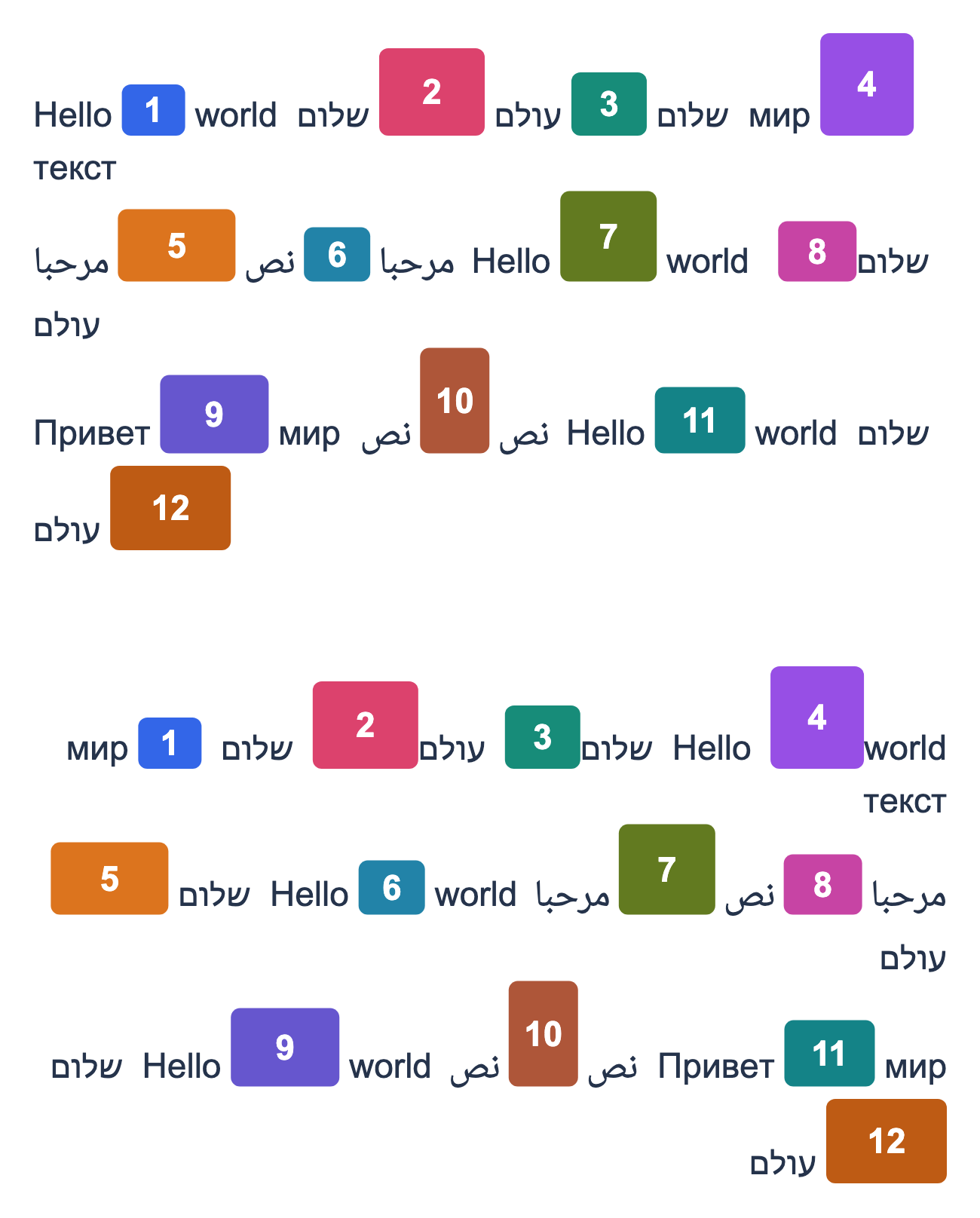
#Skia's paragraph layout previously placed inline widget placeholders in source order, even when the surrounding text was visually reordered. This caused inline widgets in Arabic, Hebrew, and mixed-direction text to appear in the wrong positions.
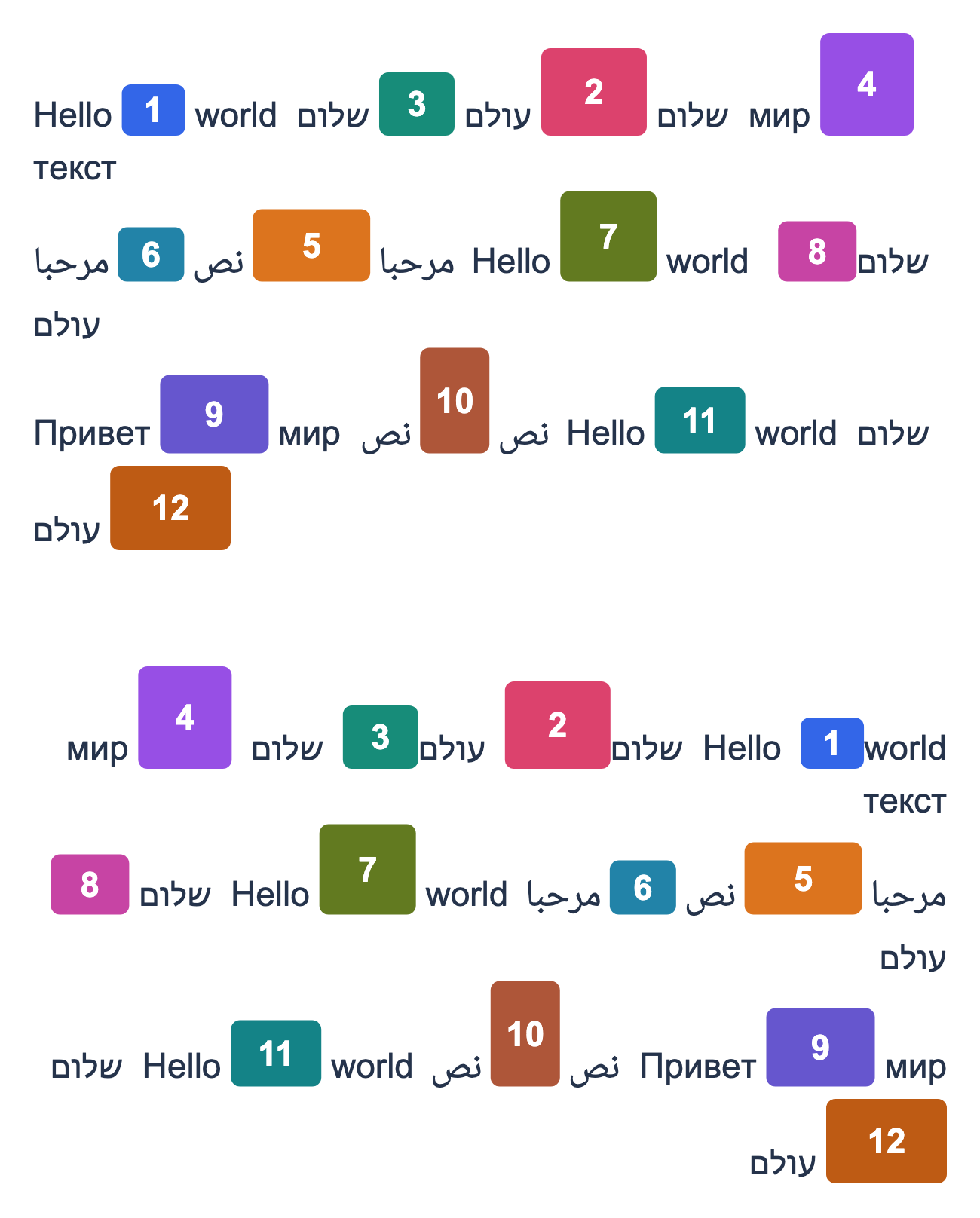
Paragraph layout now places inline widget placeholders in bidirectional visual
order. Your WidgetSpan children stay in logical reading order in your Dart
code, and layout returns placeholder boxes with the corrected visual
coordinates. No public API signatures changed.
The following example shows the corrected positions of inline widgets in mixed-direction text:
| Before | After |
|---|---|
|
|
Migration guide
#
If your app uses WidgetSpan widgets without compensating for the old layout,
no code changes are needed.
Otherwise, remove workarounds added specifically for this issue:
-
Translating or swapping widgets on the same line using
Transform.translateoffsets orGlobalKeymeasurements. -
Reversing the source order of
WidgetSpanwidgets for RTL text. Keep spans in the logical order of the content and let text layout determine their visual positions. - Mirroring placeholder-box x-coordinates in custom layout code. Use the returned coordinates directly.
For example, remove a translation that compensated for the old RTL order.
Here, rtlSwapOffset is an offset calculated by the app's workaround,
and inlineWidget is the widget embedded in the text.
Code before migration:
WidgetSpan(
  child: Transform.translate(
    offset: rtlSwapOffset,
    child: inlineWidget,
  ),
)
Code after migration:
WidgetSpan(child: inlineWidget)
Also remove the code that calculated the compensating offsets. Check RTL and mixed-direction text, including wrapped lines, and update golden tests that captured the incorrect layout.
Timeline
#
Landed in version: 3.50.0-0.1.pre
In stable release: Not yet
References
#GitHub issue:
Relevant PRs:
Unless stated otherwise, the documentation on this site reflects Flutter 3.47. Page last updated on 2026-10-23. View source or report an issue.